
A pricing page can look complete in your browser while its initial HTML contains only a heading and a loading spinner. That is a useful technical finding. It is not proof that every AI assistant sees an empty page.
An AI page inspector should show the evidence it actually collected: the HTTP response, rendered DOM, extracted text, and access rules. No external inspection tool can reproduce every proprietary retrieval system or tell you with certainty what a model used for one answer.
Compare three representations
Start with the initial response body. Does it include the product name, offer, important limitations, and links? Next, render the page in a browser and compare the resulting DOM. Finally, extract the main readable text from each representation.
Record the URL, timestamp, status code, user agent, rendering setting, and any failed resources. A bot-specific response, consent layer, login requirement, or failed API request can explain a difference. A screenshot alone cannot.
Google documents its JavaScript crawling and rendering process. Use that as evidence that JavaScript handling has stages and constraints, rather than claiming JavaScript is universally invisible to search engines.
Inspect facts that affect a buying decision
Check the content a buyer needs to evaluate the product: pricing units, supported integrations, deployment options, plan limits, trial terms, and documentation. Mark each fact as present, absent, or ambiguous in the representations you collected.
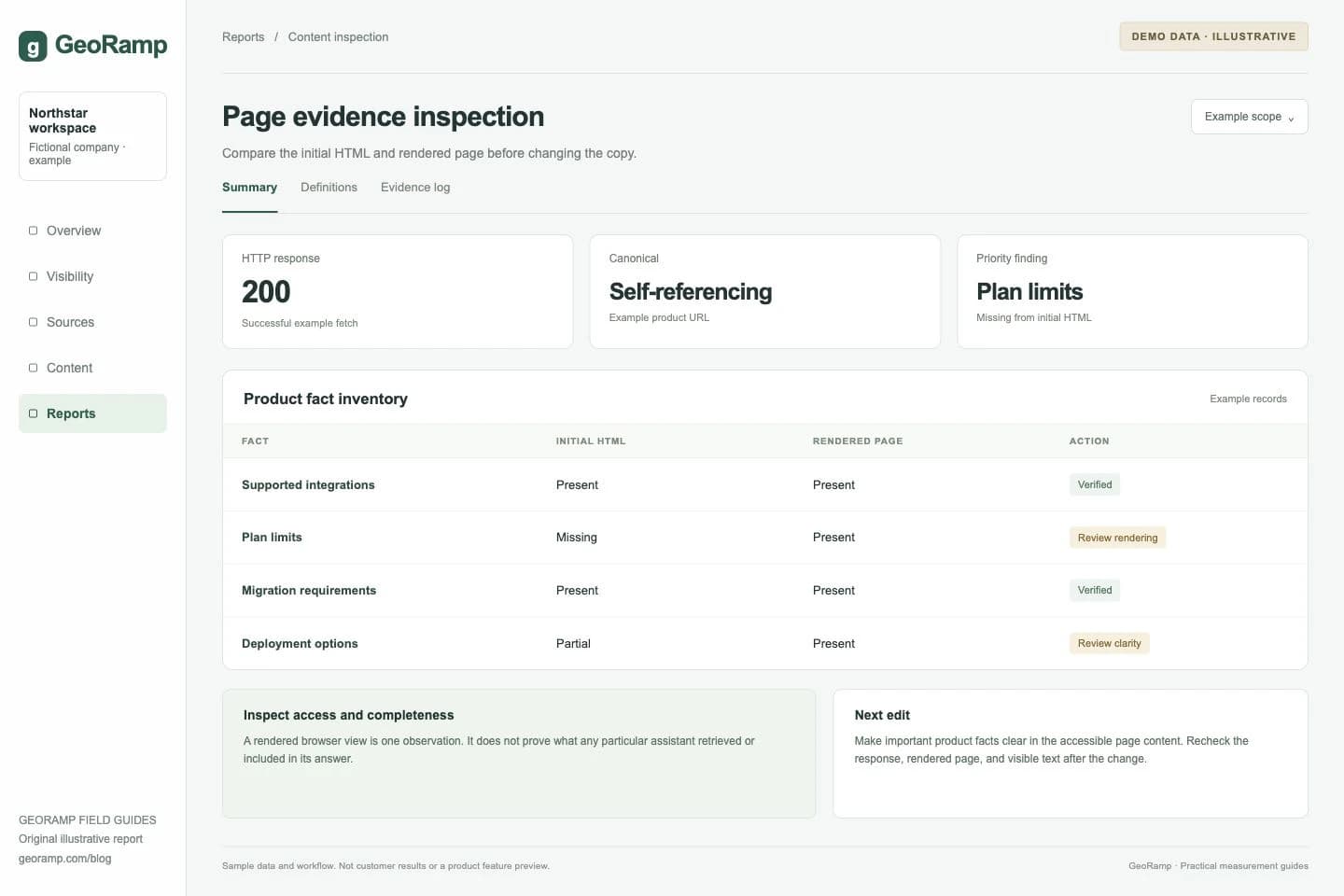
In this illustrative inspection, an integration list appears in the initial response, while plan limits arrive only after a client-side request. The team would investigate whether making those limits available in the page response improves accessibility and reliability.
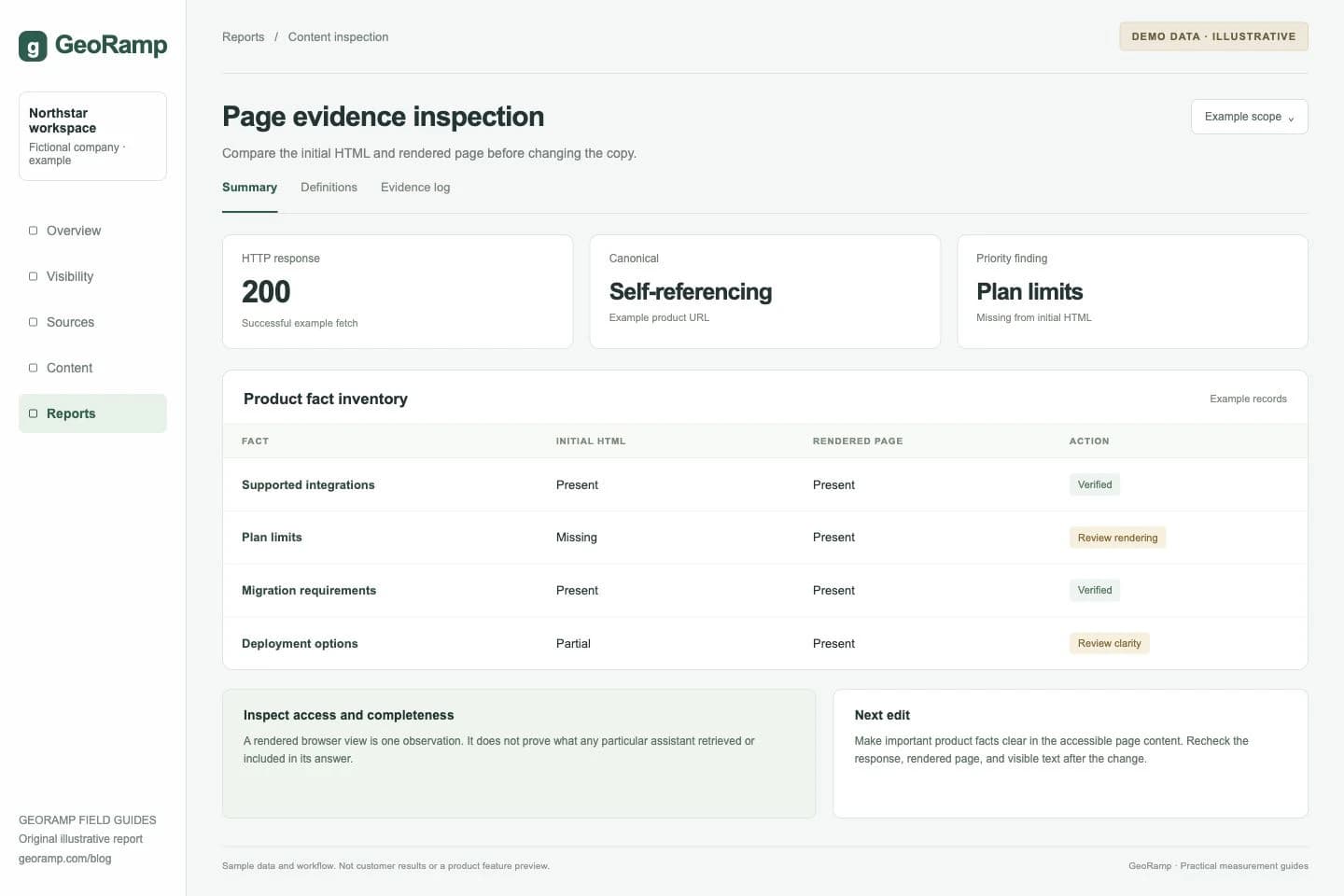
Illustrative report with fictional data and workflow examples. This is not a customer result or a preview of a specific product screen.
Collapsed content deserves inspection, not an automatic failure label. An accordion can keep its text in the DOM while hiding it visually. Another implementation may fetch the text only after a click. Those require different fixes.
Distinguish access from extraction
If the request returns 403, investigate access rules and verified crawler traffic before rewriting copy. If it returns 200 but the main text is absent, investigate rendering and content delivery. If the facts are present but difficult to interpret, improve the wording and structure.
For ChatGPT search, check the current OpenAI crawler documentation. OAI-SearchBot and GPTBot serve different purposes. A training preference should not be treated as a universal search-access setting.
Do not disable authentication or broad security protections to make an inspection pass. Public marketing pages and private application pages have different access requirements. The relevant goal is reliable access to the pages you intend to publish.
Make a targeted repair
Render essential public facts in accessible HTML where practical. Keep visible copy and structured data consistent. Provide a text explanation for important charts and a real table when relationships between values matter.
Avoid adding a second, hidden block stuffed with keywords for crawlers. A useful text alternative should help visitors too. For product data maintained in several places, choose a source of truth so a later pricing change does not leave conflicting values behind.
After a repair, repeat the same inspection and compare the stored outputs. A good completion record says exactly what changed: for example, all four plan limits are now present in the initial response and the page remains usable on mobile.
Keep the conclusion within the evidence
Passing these checks makes the page easier to access and understand. It does not guarantee a citation. Continue with content optimization and a stable citation measurement process to see whether the relevant answers change.