
A share-of-voice calculator needs two things: a brand's count and a defensible total. The arithmetic is straightforward; the denominator is where most reporting mistakes begin.
Download the share-of-voice calculator. It includes an editable fictional example, formulas, and a separate AI response-rate example. Replace the sample inputs with observations collected under consistent rules.
Define the calculation
For competitive mention share, use:
Brand qualifying mentions / qualifying mentions across the selected brands
Format the result as a percentage. Count the same event for every brand, over the same period and sources. Document aliases, exclusions, and duplicate handling before entering the totals.
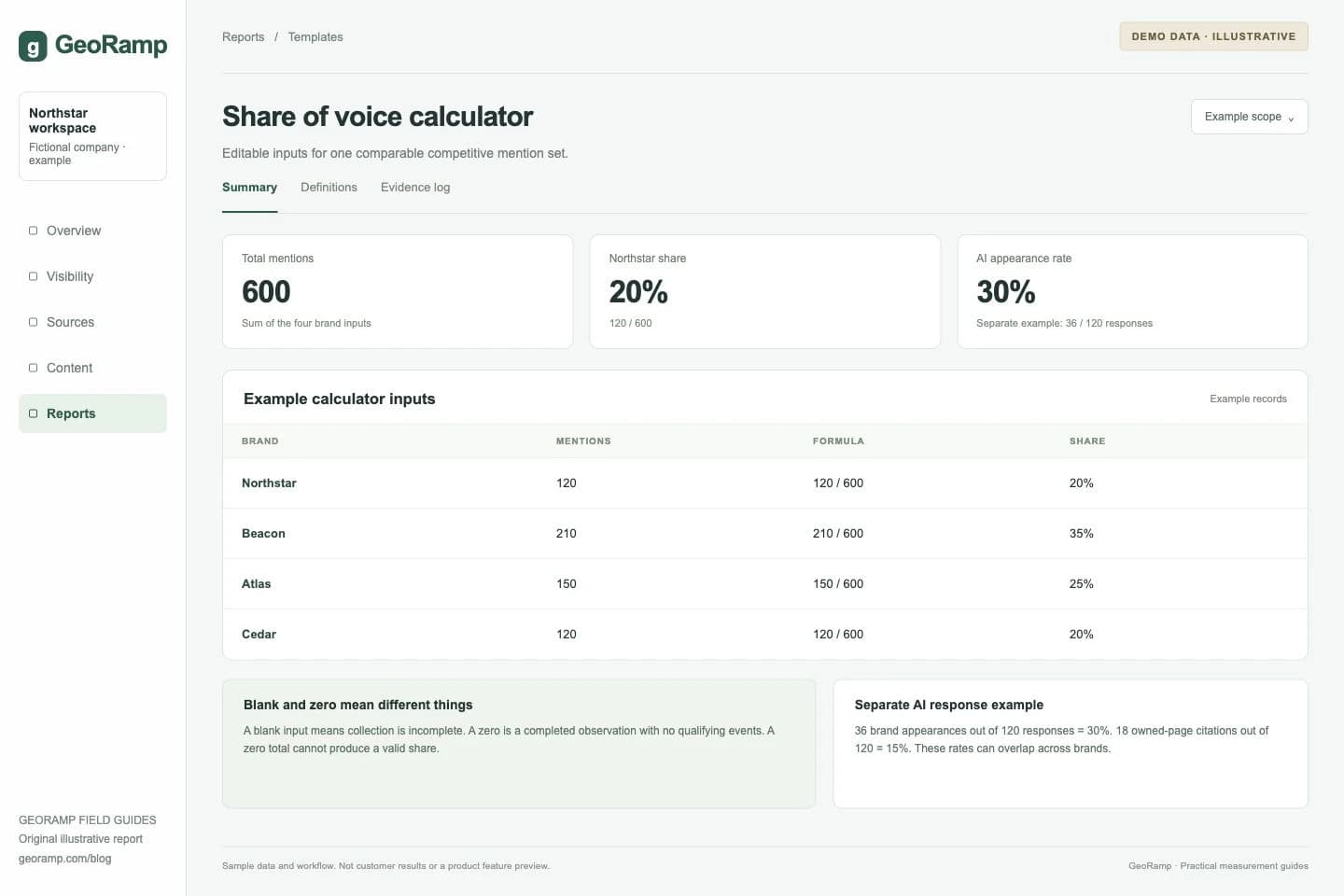
The workbook's fictional example contains Northstar with 120 mentions, Beacon with 210, Atlas with 150, and Cedar with 120. The total is 600. Northstar's share is 120 / 600, or 20%.
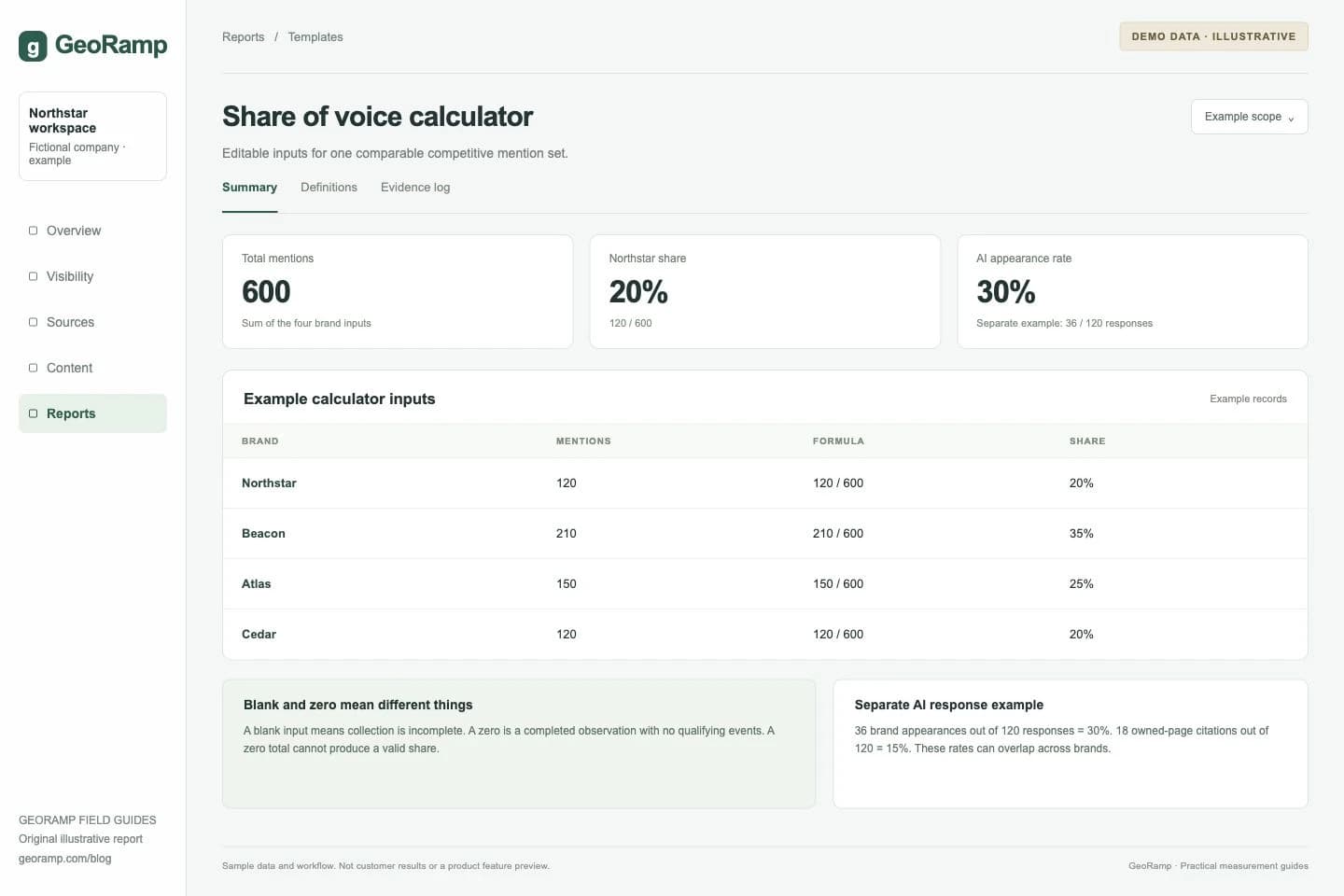
Illustrative report with fictional data and workflow examples. This is not a customer result or a preview of a specific product screen.
The four shares add to 100% because the denominator is the sum of those four brand counts. That confirms the arithmetic, not whether the competitor set represents the whole market.
Use the workbook without hiding missing data
Replace the brand names and counts in the input cells. Keep zero distinct from blank: zero means a completed observation found no qualifying events; blank means an input is missing.
The workbook leaves a share unavailable when required inputs are missing or the total is zero. It does not turn an incomplete collection into a healthy-looking 0% result.
If you add brands, extend the total and share formulas to cover the new rows. Keep a dated copy of the prior competitor set if you need a comparable trend. The report should disclose a changed denominator.
Keep AI response rates separate
The second example uses 120 successful sampled responses. Northstar appears in 36, giving a 30% appearance rate. Its own pages are cited in 18, giving a 15% owned-page citation rate.
Another brand can appear in the same response, so these rates overlap. Do not sum the brand rates and force them to 100%. If you want competitive citation-event share, count citation events for a defined brand set and use their total as the denominator instead.
A spreadsheet can calculate AI metrics. The operational challenge is collecting and preserving a reliable recurring sample, not a mathematical inability of spreadsheets to handle the data.
Avoid combining incompatible rows
Paid impression share uses estimated eligible impressions, as described by Google Ads. It is not the same denominator as all tracked brand mentions.
Keep organic models, paid metrics, social mentions, and AI responses in separate sections. A custom weighted index needs its own name and documented weights; it should not be presented as an audited market share.
Add quality checks before reporting
Confirm that the source period, geography, topic, and competitor list match the prior report. Inspect duplicate records and ambiguous brand matches. Preserve the underlying observations outside the summary workbook.
Test one input change and confirm the total and shares update. Recheck the formulas after adding a row. A correct initial template can become wrong if later edits exclude part of the comparison set.
For collection rules, use how to measure share of voice. For the executive handoff, use the SOV report template.